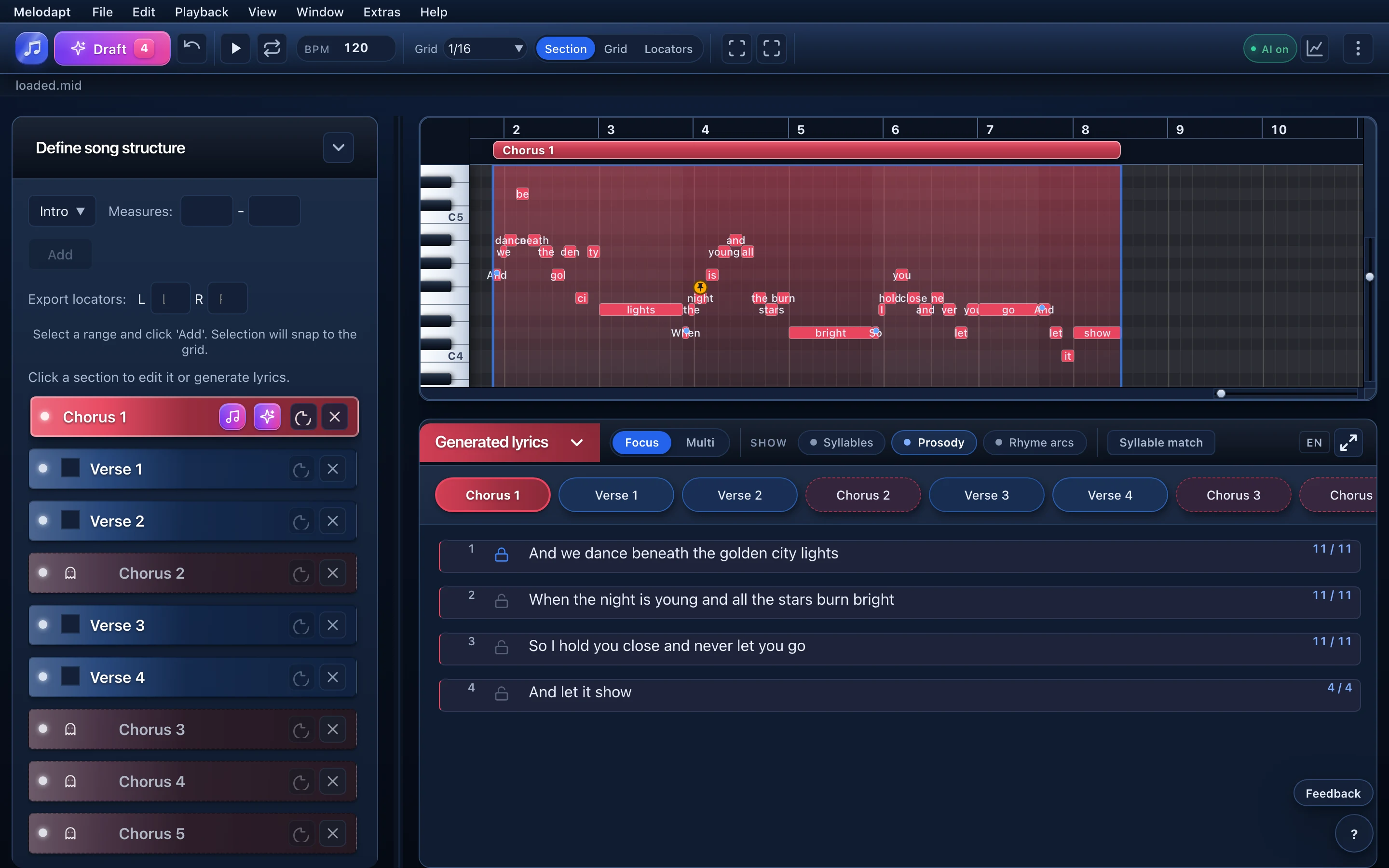
Notes & syllables
See syllables alongside note positions, including groups of notes for a single syllable.
MIDI-first lyric writing
Bring your MIDI melody into Melodapt. Write or generate lyrics using the notes, timing and song structure as your musical framework.
Lock your lines or pin words when refining a section. Let AI work on the open parts, then review and edit the result.
See the workflow
From an idea to lyrics on the notes, with room to edit and lock a line.
How it works
Watch one line of the demo melody go through Melodapt: notes in, syllables counted, stress checked, the good line locked.
Made for your melody
A generic lyric prompt sees words. Melodapt works with your MIDI notes, timing and song sections as you write or generate lyrics.
See syllables alongside note positions, including groups of notes for a single syllable.
Organize verses and choruses. Thoughtful line breaks help guide the lyric draft.
Lock a line or pin words, then use AI on the unlocked parts of a section. Review each result.
Three workflows
Start with your MIDI melody or explore the example project. Then choose the path you need.
Workflow 1
For finished melodies with no lyrics yet.
Review and shape the draft yourself.
Workflow 2
For existing lines that still sound awkward.
Your words remain under your control.
Workflow 3
For a first draft across marked sections.
A starting point for your own revisions.
Creative control
Lock lines you wrote, or pin a single word to the note where it belongs. Melodapt’s AI only works on what you leave open.
Lock a whole line

Pin a word to a note
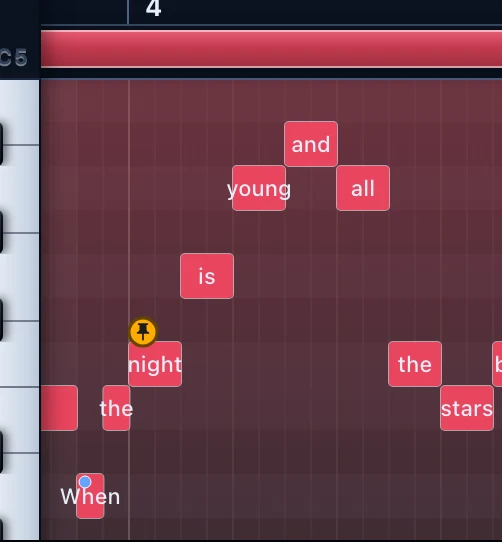
Stressed syllables fall on the strong beats: DANCE, GOL-den, LIGHTS. Example lyrics written by hand for the demo melody; rings and numbers added for explanation.
See Melodapt
See how Melodapt brings your melody and lyrics together for your Synthesizer V workflow.
Loading connects to YouTube. On some devices, press play again in the player.
An earlier recording; generated lyrics still need your review.
Short demonstration
This short earlier recording shows lyrics on a melody in Melodapt and the Synthesizer V view.
A workflow reality check — not a promise that the first draft is already finished.
For your vocal workflow
The longer tutorial shows the full handoff: export the melody, adapt lyrics in musical context, and hear the result again in the vocal-synth workflow.
Some screenshots and tutorial recordings show an earlier version of Melodapt, previously called “KI Songtexter”. The workflow is still applicable, but the interface has since been updated.
Review syllables and note positions in Melodapt before returning to your vocal workflow.
What it is
Melodapt is a workspace for writing and editing lyrics against an existing MIDI melody, with optional AI assistance.
Is
Is not
Features
No generic AI language. These are the concrete functions inside the tool.
Compare syllables and available note positions as you edit. Review AI suggestions yourself.
Heuristic stress indicators can suggest places to review; they are not a verdict on musical quality.
Choose a rhyme scheme as a direction for generation, then review the result.
Link repeated sections to reuse lyrics.
Group notes when one syllable spans several notes.
Collect rhyme words and associations while writing.
Pin words as fixed points when refining a section with AI.
The beta supports German and English for song lyrics, syllables and rhymes.
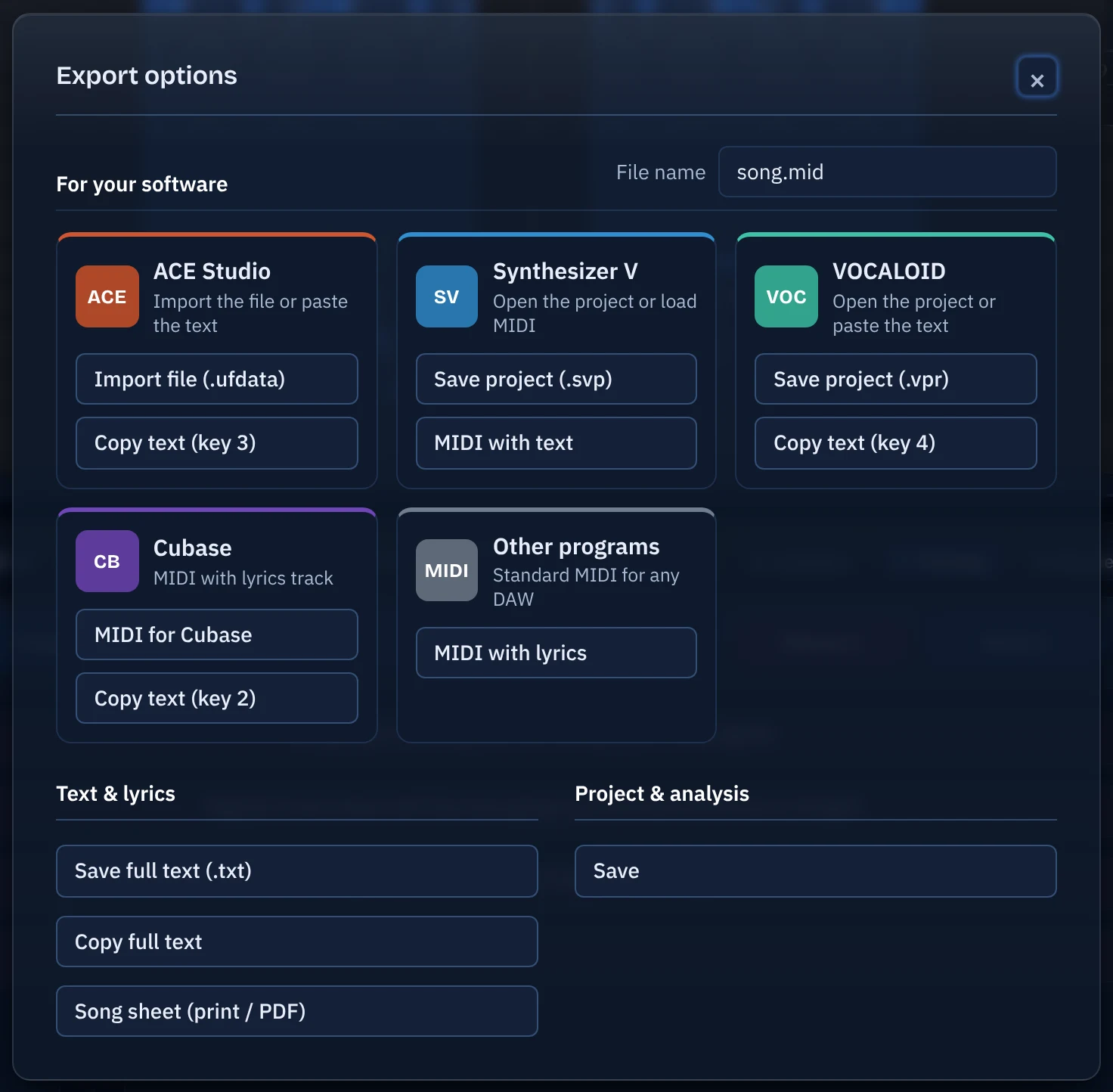
Export text, a song sheet or MIDI with lyrics, plus ready-made files for Cubase, Synthesizer V, ACE Studio and Vocaloid.
Shows your lyrics like a sheet of paper with margin comments on stress, rhymes, line breaks, clichés and filler words. Runs locally, free.
Melodapt reads your melody and suggests where each lyric line should start: pauses, long closing notes, pickups, strong beats and repeats. The model learned from more than a thousand songs and finds the human line breaks in most cases. Not every time, and that is fine: accept all with one click, move single breaks or set your own. Artistic freedom stays yours.
Runs locally in your browser, in any song language, at no extra cost.
Export
Take your lyrics wherever you work next: plain text, a printable song sheet, MIDI with lyrics, a Cubase variant, or ready-made files and text for Synthesizer V, ACE Studio and Vocaloid.
Save or copy the full lyrics, or print a clean song sheet for band and singer (also as PDF).
MIDI with lyrics for compatible tools, plus a Cubase variant and Cubase text to paste; support varies by application.
Synthesizer V file and SynthV-formatted MIDI, ACE Studio file (.ufdata) and text, Vocaloid project (.vpr) and text.
Closed beta
We are looking for producers, songwriters, and vocal-synth users who will use Melodapt on a real project and provide concrete feedback afterward.
Please watch the tutorials before you apply. They show what Melodapt can do today and what working in the beta looks like, so you can judge whether it fits your workflow.
Watch the tutorialsApplication received. We will contact you if your workflow fits the current closed-beta cohort.
Applications are selected for workflow fit; applying does not automatically grant access.
Die Bewerbung ersetzt keine Annahme der aktuellen Closed-Beta-Bedingungen. Ausgewählte Tester akzeptieren sie im Enrollment, bevor geschützte Funktionen freigeschaltet werden.
FAQ
Short, direct, and without false promises.
Enlarged screenshot